Why Electronics Patents Require Specialized Drawings
Patent drawings for electronics and electrical inventions operate under the same USPTO rules as other utility patents, but the content and presentation differ. While mechanical patents show physical structures through orthographic and perspective views, electronics patents often communicate function through schematic symbols, block diagrams, and signal flow.
If you are mapping this article against other filing categories, the patent drawing types hub explains where electronics diagrams fit alongside utility, design, provisional, and software-related drawing needs.
Electronics patents present a unique challenge: the most important elements, including the logic, the signal flow, and the timing relationships, cannot be shown through traditional mechanical drawings. Instead, examiners rely on circuit diagrams, block diagrams, state diagrams, and flowcharts to understand your invention's operation. A poorly rendered schematic or unclear block diagram can slow review just as surely as missing mechanical details.
The stakes are particularly high in electronics because your drawings must support your claims. A patent examiner reviewing your electrical patent claims will spend significant time studying your drawings to understand exactly what you are claiming to have invented. If your drawings do not clearly show the claimed structure and operation, the examiner will issue Office Actions requesting clarification.
Electronics Patents Account for ~30% of All Patent Filings
Electrical and electronics inventions are a major utility patent category at the USPTO. These range from simple circuits and consumer devices to complex systems combining hardware, firmware, and software. Clear patent drawings help examiners understand what the circuitry, signal flow, and software-controlled operations actually do.
Circuit Diagrams: Schematic Representation of Electrical Systems
A circuit diagram (or schematic) is the primary tool for representing electrical and electronic inventions at a functional level. Unlike wiring diagrams, which show physical layout and connection topology, circuit diagrams use standardized symbols to represent components and show electrical relationships.
IEEE/ANSI Standard Symbols
Circuit diagrams should use conventional symbols that a technically trained reader can understand. Many teams use IEEE (Institute of Electrical and Electronics Engineers) and ANSI (American National Standards Institute) conventions as a reference point. The key is consistency and clarity: ambiguous or non-standard symbols should be explained in the specification or drawing description.
Common components and their symbols include:
For broader figure references across categories, compare these schematic conventions with the patent drawing examples guide.
- Resistors: Zigzag line (American convention) or rectangular box (European convention).
- Capacitors: Two parallel lines for fixed values, parallel lines with a curved arrow for variable.
- Inductors: Coil symbol drawn as a series of loops.
- Diodes: Triangle pointing into a line (cathode), with polarity clearly marked.
- Transistors: BJT (base, collector, emitter) or FET (gate, drain, source) with distinct NPN, PNP, NMOS, and PMOS symbols.
- Operational Amplifiers: Triangle with + and - inputs, single output, and explicit power supply connections.
- Logic Gates: AND, OR, NOT, NAND, NOR, and XOR rendered as their standard geometric shapes.
- Switches and Relays: Various contact configurations: normally open, normally closed, and changeover.
- Power Sources: Battery symbol (long and short lines) for DC, sine wave symbol for AC voltage.
Reference Numerals in Circuit Diagrams
Every component referenced in your claims must have a reference numeral callout. Place numerals outside the circuit diagram itself, using leader lines to connect to the component. Numerals must be large enough to remain legible at two-thirds reduction. Examiners verify that every claim element appears in the drawings with an unambiguous numeral.
Best Practices for Patent Circuit Diagrams
- Logical organization: Arrange components to show signal flow from left to right or top to bottom. Group related circuits. Use distinct regions for input, processing, and output stages.
- Line quality: All lines must be uniformly thick and clearly visible when reduced. Avoid thin, broken, or inconsistent lines. Use solid lines for primary connections and dashed lines only where necessary to avoid clutter.
- Node labeling: Label important nodes (VCC, GND, signal names) to clarify connections. Use consistent labeling across multiple sheets.
- Complexity management: Do not cram too many components into a single view. If a circuit is complex, break it into functional blocks across multiple sheets.
- Avoid redundancy: Do not draw the same subcircuit multiple times. Instead, use block symbols or reference designations to indicate repetition (e.g., R1-R8 resistor array).
Block Diagrams: System Architecture and Functional Relationships
Block diagrams represent the high-level functional architecture of your invention. While circuit diagrams show detailed electrical connections, block diagrams show how major functional units interact. Block diagrams are essential for complex systems where a single detailed schematic would be too large and complex to be useful.
When to Use Block Diagrams
Block diagrams are appropriate when your invention:
- Contains multiple subsystems (power supply, signal processor, communication module, etc.)
- Includes both analog and digital circuitry operating at different abstraction levels
- Integrates multiple ICs (integrated circuits) where showing every internal gate would be impractical
- Emphasizes the data or signal flow between functional units rather than component-level details
- Is better understood by examiners as a system architecture rather than a flat schematic
Block Diagram Conventions
Each block represents a functional unit (amplifier, filter, microcontroller, memory, etc.). Connect blocks with labeled lines or arrows showing the direction of signal or data flow. Include:
- Block labels: Brief description of the block's function (e.g., "Signal Processor," "Power Converter," "RF Transmitter")
- Input/Output labels: Label signals entering and leaving each block to clarify the type of data or signal (e.g., "Digital Command," "Analog Voltage," "Serial Data")
- Reference numerals: Even in block diagrams, each block must have a reference numeral if it corresponds to a claimed element
- Hierarchical levels: Use multiple levels of block diagrams if your system is complex: a top-level system diagram, then detailed diagrams showing each subsystem
Functional Blocks
Represent major subsystems such as power management, signal conditioning, processing core, output driver, and communication interface.
Signal Flow
Arrows show direction of signal movement. Label signals with their type: analog voltage, digital logic, PWM, or serial protocol.
Interconnections
Lines connecting blocks show data or signal paths. Use clearly labeled junctions where signals split or combine.
External Interfaces
Mark inputs from external sources (user input, sensor signals) and outputs to external devices (motor control, display, communication).
Flowcharts and State Diagrams for Software and Firmware Patents
If your patent claims include software, firmware, or algorithmic steps, flowcharts and state diagrams are essential. These drawings show the logical flow of execution and decision-making within your software.
Flowchart Standards for Patents
Flowcharts use standard symbols to represent different types of steps:
- Oval/Rounded Rectangle: Start or end point
- Rectangle: Process step or instruction
- Diamond: Decision point or conditional branch (yes/no or true/false)
- Parallelogram: Input or output operation
- Arrows: Flow direction between steps
- Rectangle with double lines: Subroutine or function call
Flowchart Best Practices
- Clear numbering: Number each step (100, 110, 120, etc.) matching the reference numerals in your specification.
- Descriptive labels: Each box should describe the action in a few words, not full sentences. Use language from your specification.
- Single entry/exit: Where possible, each flowchart should have one entry point and one exit point, with decision diamonds controlling branching.
- Hierarchical detail: High-level flowchart first, then detailed flowcharts for complex procedures. Use reference calls to indicate subcalls to detailed flowcharts.
- Loop indicators: Clearly show loop structures with arrows returning to earlier steps. Label loop conditions.
State Diagrams and State Machines
For inventions with distinct operational states, state diagrams clearly show transitions between states. Each circle represents a state; arrows show transitions triggered by specific events or conditions. State diagrams are particularly useful for control systems, protocols, and complex logic.
Mixed Hardware/Software Inventions: Combining Views
Modern electronics patents often protect inventions that combine physical hardware with software control. These require drawings at multiple levels of abstraction to fully represent the invention.
Typical Drawing Package for Hardware/Software Patents
- Perspective/physical view (FIG. 1): Shows the physical device or form factor, indicating major components and connectors.
- Block diagram (FIG. 2): Shows functional architecture: microcontroller, sensors, actuators, communication modules, power management.
- Detailed circuit diagram (FIG. 3+): Shows the microcontroller interface with sensors and actuators, including signal conditioning and drive circuits.
- Firmware flowchart (FIG. N): Shows the algorithm or control logic executed by the microcontroller. Can span multiple sheets for complex algorithms.
The key is ensuring that each drawing layer provides information not adequately shown at other levels. A perspective view is not needed if the patent is purely algorithmic; a detailed circuit diagram is not needed if you are claiming an abstract method. Match your drawing package to what you are actually claiming.
Claim-Drawing Alignment is Critical
Every element mentioned in your independent claims must appear in your drawings. If your claims reference "a processor," "a sensor input," or "a firmware routine," those elements must be clearly shown and numbered in the corresponding drawings. Examiners use drawings to verify claim clarity and antecedent basis.
Signal Timing Diagrams and Waveforms
For digital, analog, or mixed-signal inventions, timing diagrams show the temporal relationships between signals. They are essential for patents claiming timing-dependent functionality or signal processing.
Timing Diagram Elements
- Time axis: Horizontal axis showing time progression (often in microseconds, milliseconds, or clock cycles)
- Signal traces: Each signal gets its own horizontal line showing its value over time. Digital signals show high/low transitions; analog signals show waveform shapes.
- Labels: Each trace clearly labeled with signal name (CLK, ENABLE, DATA_OUT, etc.). Use reference numerals to connect signals to circuit elements.
- Annotations: Mark timing relationships (setup time, hold time, propagation delay). Highlight critical transitions or relationships.
- State indicators: Use shading or annotations to show valid data windows or state transitions.
When Timing Diagrams Are Essential
Include timing diagrams if your invention depends on:
- Precise timing relationships between signals (synchronization, handshaking)
- Specific timing parameters (setup time, hold time, clock-to-output delay)
- Sampling or multiplexing operations dependent on timing
- Protocol implementations (SPI, I2C, UART, CAN) where timing is part of the invention
Common Electronics Components and Symbol Conventions
Patent drawings for electronics frequently feature specific components. Consistent, clear representation of these elements is critical:
IC Packages
Show integrated circuits with pin labels and reference numerals. Use industry-standard package outlines (DIP, SOIC, BGA) or simplified block representations with pin designations.
Connectors
Show connector types (USB, RJ45, XLR, custom) with pin assignments. Label pin functions (power, ground, signal, shield).
Antennas
Show antenna geometry and feed point. For wireless patents, include antenna pattern diagrams showing radiation direction and gain characteristics when claiming antenna performance.
Sensors and Transducers
Represent sensors with a symbol showing type (temperature, pressure, motion). Include signal conditioning circuits when critical to the invention.
Displays
Show display interface and structure (LCD, OLED, LED array). If display content is material to the invention, show representative content or layout.
Power Distribution
Mark power supply rails (VCC, GND, regulated supplies). Show filtering and voltage regulation. Distinguish multiple rails clearly.
IoT and Connected Device Patents: Showing System Integration
Internet of Things (IoT) and connected device patents present unique challenges: the invention spans local hardware, communication protocols, cloud systems, and user interfaces. Your drawings must convey all these layers without becoming too fragmented.
Multi-Level Drawing Strategy for IoT Patents
- System overview (FIG. 1): High-level block diagram showing device hardware, communication module (WiFi, Bluetooth, cellular), cloud connectivity, and external services or databases.
- Device hardware (FIG. 2): Detailed circuit schematic or block diagram of the local device showing sensors, processing unit, communication interface, and power management.
- Wireless communication (FIG. 3): Protocol stack diagram showing layers from PHY to application. Show which layers are claimed as part of the invention.
- Cloud/server architecture (FIG. 4): Block diagram of cloud components (database, processing, API gateway, notification service) and their interactions with the device.
- Data flow (FIG. 5): Diagram showing data collection, transmission, processing, storage, and action sequences. Particularly important for patents claiming end-to-end functionality.
- Firmware flowchart (FIG. 6+): Detailed algorithm showing device-side decision logic and communication triggering.
Wireless Communication Representation
For wireless patents, clearly show:
- Transmitter and receiver blocks with modulation scheme (OFDM, FSK, QPSK, etc.)
- Antenna connections and RF signal path
- Protocol layers (MAC, PHY, application protocols)
- Channel characteristics if claiming adaptive or dynamic features
- Frequency bands or spectrum allocation if material to the claims
Cloud Connectivity in Patents
Patents claiming cloud-based functionality must show the connection between device and cloud components. Use simplified diagrams (not actual server architecture) showing logical data flow, storage mechanisms, and processing steps. If security, encryption, or authentication are claimed, show those explicitly.
Reference Numeral Strategies for Complex Electronic Systems
In complex electronics patents with hundreds or thousands of components, reference numeral strategy becomes critical. Unlike simple mechanical devices where numerals 100-120 suffice, electronics often requires a structured numeral system.
Reference Numeral Numbering Systems
- Functional grouping: Use ranges for different subsystems (100-199 for power supply, 200-299 for signal processor, 300-399 for communication module). This makes it easier for examiners to track which elements belong to which functional unit.
- Hierarchical numbering: In drawings with multiple levels of detail, use three-digit numbers (e.g., 100 for a block in the overview, 101-199 for components within that block in detailed views).
- Consistency across sheets: A component labeled 105 on Sheet 1 must have the same numeral in all references and detailed views.
- Avoid gaps: While you do not need numerals to be perfectly consecutive, examiners notice if you skip large ranges. Use gaps sparingly (perhaps to reserve space for anticipated revisions).
Labeling in Complex Circuits
When a circuit has many components, avoid cluttering the drawing with numerals. Instead:
- Place numerals in a separate legend or callout area referencing the component
- Use color coding (if permitted) or dotted outline boxes to associate numerals with components
- Break complex circuits across multiple sheets, each with its own reference numeral set
- In block diagrams, use single numerals for entire functional blocks; reserve detailed numerals for lower-level detailed views
How AI Handles Schematic-to-Patent-Drawing Conversion
AI-powered patent drawing tools are particularly valuable for electronics patents because converting engineering schematics to filing-ready patent drawings involves specific challenges. If you are still choosing a toolchain, compare product categories in our best patent drawing software guide. If you need the broader workflow outside electronics, see the step-by-step guide on how to make patent drawings.
Key Conversion Tasks
- Symbol standardization: Commercial CAD tools (EAGLE, KiCAD, Altium) use their own symbol libraries. The drawing workflow should normalize symbols into a consistent patent-drawing presentation.
- Layout optimization: Engineering schematics prioritize clarity for manufacturing and debugging. Patent drawings need to prioritize understanding of the invention concept. AI reflows schematic elements to follow patent best practices: logical signal flow, component grouping, and readable layout.
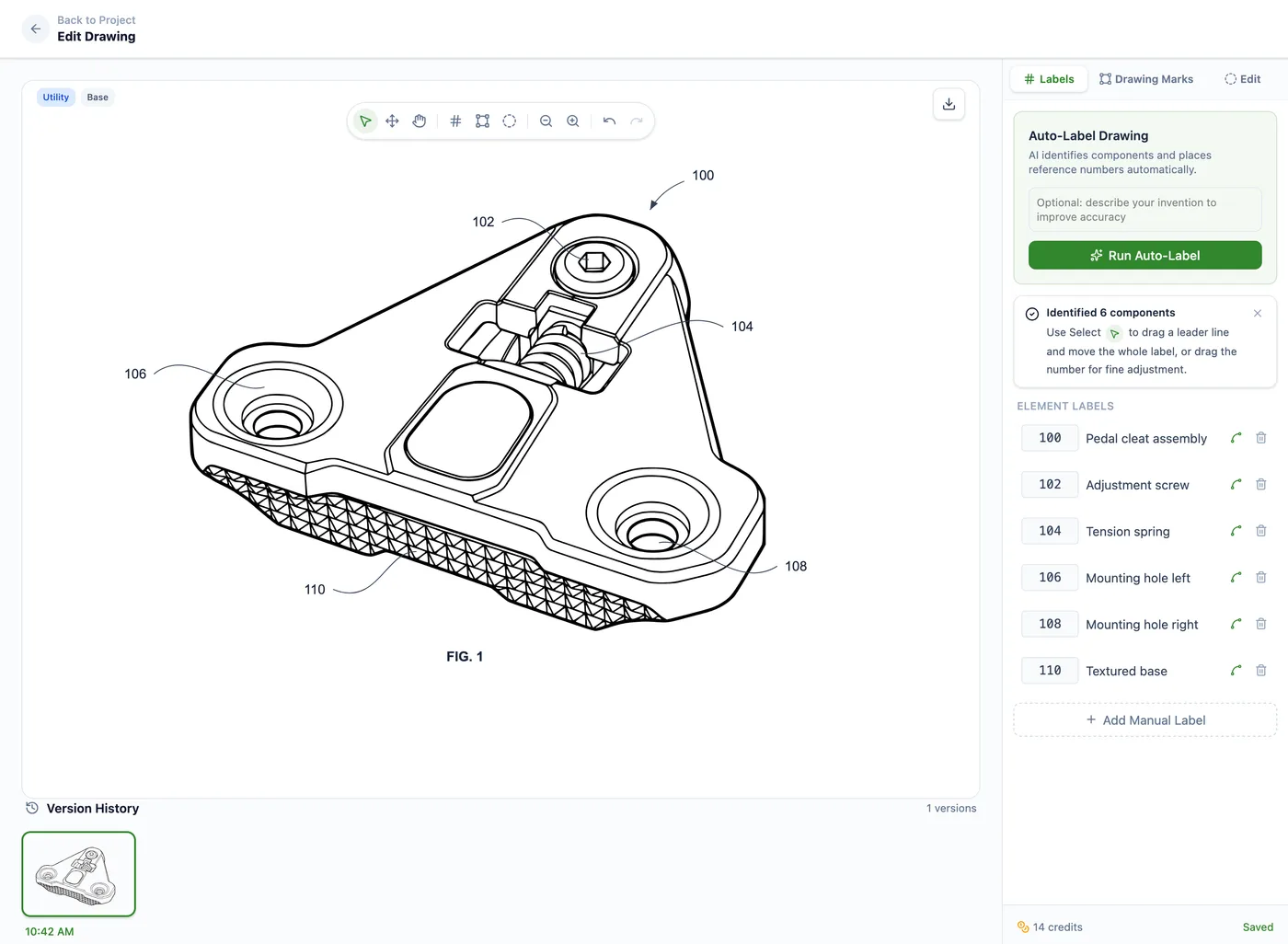
- Reference numeral generation: AI and Auto-Label can help assign reference numerals following a logical scheme. You still review the labels against the claims and written specification before filing.
- Formatting support: Drawing Set assembly helps apply margins, sheet numbering, figure labels, and reference-character sizing for 37 CFR 1.84 requirements. This reduces common formatting errors without replacing final review.
- Multiple view generation: For complex circuits, AI can generate multiple views at different levels of abstraction, such as a detailed schematic, block diagram, or timing diagram, from a clear source image.
- Annotation extraction: AI reads component values, signal names, and annotations from a clear schematic image or CAD render exported as an image, then helps place them appropriately in the patent drawing with updated reference numerals.
PatentDrawingAI drawing editor
Block Diagram and System View Generation
AI can analyze circuit topologies to automatically generate higher-level block diagrams by:
- Identifying functional clusters of components
- Grouping related circuits into subsystems
- Creating block representations with signal inputs/outputs
- Assigning block labels based on circuit function analysis
AI Advantage: Rapid Iteration
With AI, you can generate multiple drawing variations quickly. Test whether a single detailed schematic or a multi-level block diagram approach works better for your examiner's understanding. Generate timing diagrams automatically from simulation data. Create multiple views of your circuit emphasizing different aspects of the invention. Traditional patent illustrators can require days for revisions; AI delivers alternatives in minutes.
Generate Electronics Patent Drawings in Minutes
Upload your circuit schematic, CAD screenshots, block diagram sketch, or other reference images. Our AI can generate clean patent drawings with conventional symbols, reference numerals, views, and sheet formatting for your USPTO review workflow.
Try It Free - No Credit Card RequiredFrequently Asked Questions
Use conventional circuit symbols that make the invention easy to understand, and keep symbols consistent across the drawing set. If your firm follows IEEE/ANSI conventions, use them consistently. If a symbol could be ambiguous, define it clearly in the specification or drawing description.
PCB layouts (top layer, bottom layer, via patterns) can be included if they are material to your invention claims. However, if you are claiming only the circuit function, not the specific PCB topology, detailed layout drawings are not necessary and may actually confuse the examiner. Include PCB layouts only when the physical arrangement or trace routing is part of what you are claiming.
Block diagrams should show functional blocks at a level of detail that matches your claim language. If your claims reference 'a signal processor' as a single element, show it as one block. If your claims specifically recite components within the processor, show those as separate blocks. The guiding principle: claims define the scope; drawings must clearly show all claimed elements.
Not necessarily. For simple circuits, a single detailed schematic with clear reference numerals is sufficient. For complex systems or inventions emphasizing functional relationships over circuit details, block diagrams are more effective. For hybrid systems (hardware plus software), you typically need both levels: a block diagram showing overall architecture and a detailed circuit schematic showing the physical implementation. Use whichever representation best communicates your invention to an examiner unfamiliar with your field.
Software and computer-implemented inventions are often easier to explain with flowcharts, block diagrams, or state diagrams showing algorithm logic, data structures, and processing steps. Use familiar flowchart symbols, number important steps with reference numerals where appropriate, and make sure the drawings support the written specification.