Quick answer
There is no fixed number
The legal test is whether drawings are needed to understand the invention, not whether the provisional has a specific sheet count.
Most visual inventions need several figures
A simple object may need 1-2 figures. Assemblies, mechanisms, electronics, and software systems often need 3-6 or more.
Priority support is the real issue
The later non-provisional only benefits from the provisional for subject matter the provisional actually disclosed.
Answer
How many drawings do you need for a provisional patent?
You need enough drawings to make the invention understandable. There is no fixed USPTO number for a provisional application. The right count depends on what features you may later claim and whether those features can be understood from the written description alone.
Under 35 U.S.C. 113, an applicant must furnish a drawing where necessary to understand the subject matter sought to be patented. MPEP 601.01(f) explains that non-design applications filed on or after December 18, 2013 can receive a filing date without drawings, but drawings should be submitted on filing if needed to understand the invention because no amendment may introduce new matter after the filing date.
In practice, one or two figures may work for a simple object. Three to six or more figures are common when the invention has multiple parts, hidden features, electrical modules, software steps, alternative embodiments, or a structure that cannot be understood from one angle.
Decision rule
Ask what a future claim would point to. If that feature, relationship, or process step is not clearly shown or described, add a view before filing.
Planning ranges
Typical drawing counts by invention type
These are planning ranges, not legal rules. Use them to pressure-test whether the provisional has enough visual support before you file.
| Invention type | Common range | Useful views |
|---|---|---|
| Simple single-part product | 1-3 figures | Perspective view, one key orthographic view, and a detail view if a feature is hard to see. |
| Mechanical assembly | 3-7 figures | Perspective, exploded, section, detail, and alternate-position views when moving parts matter. |
| Hidden or internal mechanism | 3-6 figures | Exterior view, section view, exploded view, and close-up views of the internal structure. |
| Electronics or hardware system | 3-6 figures | Device exterior, board or module layout, block diagram, signal path, and connector details. |
| Software, UI, or process invention | 2-5 diagrams | System architecture, process flow, screen states, data flow, and user interaction diagrams. |
| Chemical, material, or composition invention | 0-3 figures | Often text can carry more of the disclosure, but structure, layers, apparatus, or process steps may still need figures. |
Low-count filings
When 1-2 drawings can be enough
One or two figures can be enough when the invention is simple and the important structure is visible from a single view or a simple pair of views. Examples include a single-part consumer product, a simple bracket, or a device where the novelty is visible on the exterior.
Even then, check whether the written description mentions features that the figure does not show. If the text describes a recess, latch, spring, sensor, connector, or layer that is not visible, one drawing may not be enough.
More views
When to add more drawings
Add views whenever a single figure hides claim-relevant details. For a mechanical invention, that often means section, exploded, or detail views. For electronics, it may mean a block diagram plus a board or module view. For software, it may mean a system architecture diagram, a flowchart, and screen states.
This is where the provisional drawing count connects to the broader requirements question. The provisional patent drawing requirements guide explains why missing views can create priority support problems. The provisional vs non-provisional patent drawings comparison shows how those views carry into the later non-provisional filing.
The hidden-feature test
If the invention works because of something inside, underneath, behind, folded, assembled, connected, or sequenced, include a view that shows it.
Pre-filing checklist
Check the figure count before filing
Before you file, run through this checklist. If one of these checks fails, the answer is usually to add another drawing or strengthen the written description.
- Every feature you may later claim appears in a figure or is clearly described in the specification.
- Hidden features have a section, exploded, cutaway, block, or detail view.
- Different embodiments are shown separately instead of being blended into one vague figure.
- Each figure label in the specification matches an actual figure in the drawing set.
- Reference numerals are used consistently for the same part across views.
- The drawings and written description use the same names for the same features.
- The figures are legible as filed, with dark lines and enough contrast for the official record.
PatentDrawingAI
Create the right number of provisional drawings faster
PatentDrawingAI helps you generate the views you need from sketches, product photos, and CAD renders exported as images. Create each needed figure in about 1-3 minutes, then add reference labels, drawing marks, sheet layout, and PDF/PNG/SVG export.
The advantage for provisional filings is practical: when more views would strengthen the disclosure, you can create them without waiting for a separate illustration cycle. You still review the figures and filing strategy with a patent professional when needed.
PatentDrawingAI drawing editor
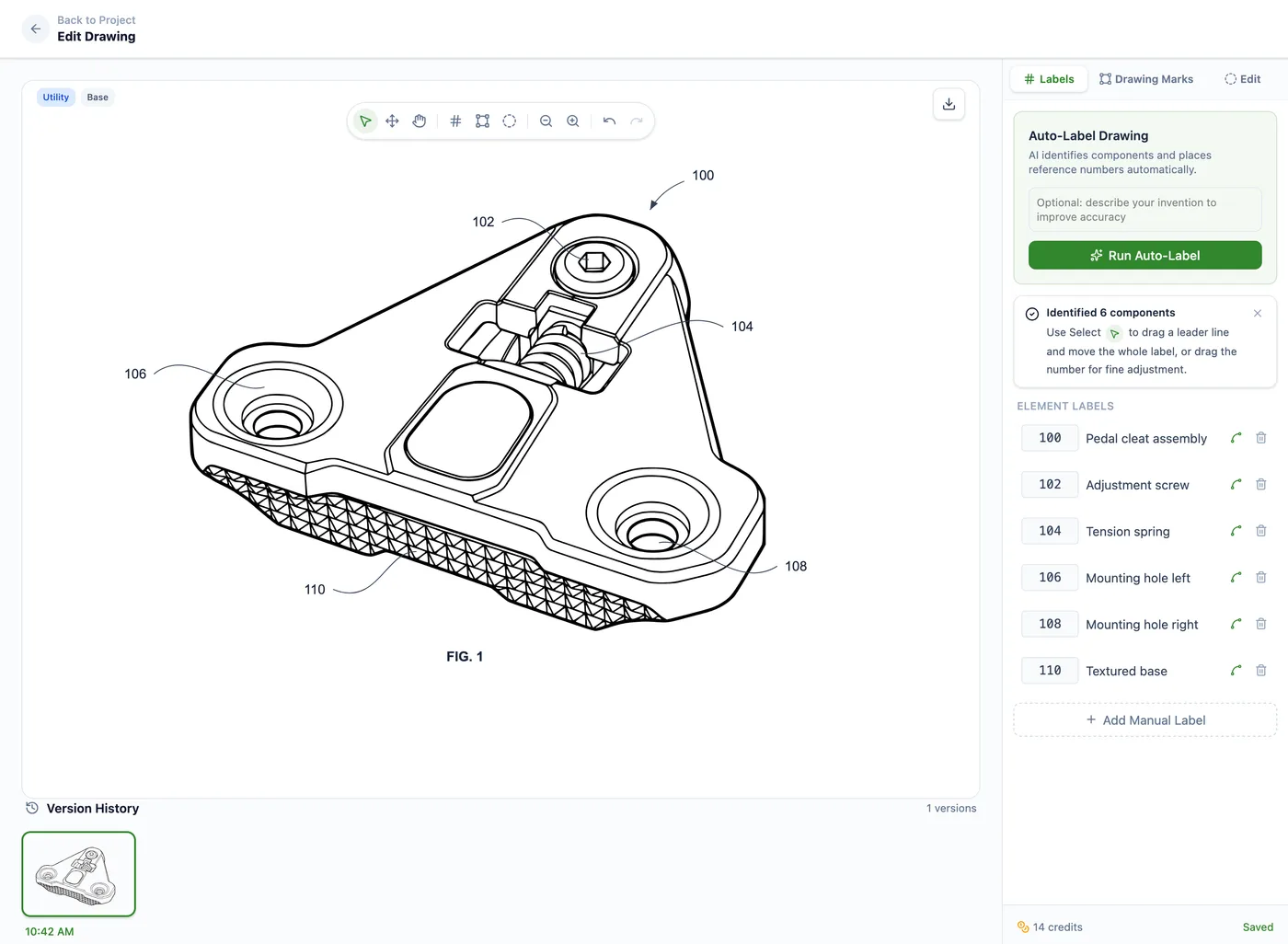
File with enough views, not just fast views
PatentDrawingAI formats drawings to meet USPTO requirements, but it does not file patents or guarantee acceptance. Use the tool to create clearer figures, then make the filing decision with the full application in mind.
Avoid these
Common mistakes when choosing a drawing count
Using one broad perspective view
One image may show the overall shape but miss internal features, alternate positions, or functional relationships that matter later.
Leaving out alternatives
If you may claim more than one embodiment, make sure the provisional shows or describes each one with enough detail.
Mentioning figures that are not filed
If the specification refers to FIG. 3 or a cross-section, that figure should be included and should match the description.
Saving diagrams for the non-provisional
Adding a diagram later can be harmless if it only clarifies existing disclosure, but it becomes risky if it adds subject matter.
Sources
Quick references
These sources support the filing-date, drawing, and new-matter claims in this guide.
Related provisional guides
Provisional Patent Drawing Requirements
The main provisional drawing guide covering filing-date rules, priority support, references, and format.
Provisional vs Non-Provisional Patent Drawings
How provisional and non-provisional drawings differ in formality, views, labels, and examination.
Patent Drawing Rules and Guidelines
The hub for 37 CFR 1.84 formatting, sheet standards, numbering, and examiner issues.
How to Make Patent Drawings
A practical workflow for turning source images into filing-ready patent drawings.
Build a fuller provisional drawing set
Upload clear source images, create each needed view, label the figures, and export filing-ready PDF, PNG, or SVG drawing sets.
Try PatentDrawingAIFrequently asked questions
There is no fixed number. You need enough drawings to make the invention understandable and to support the subject matter you may later claim. A simple product may need 1-2 figures, while an assembly, electronics system, or software workflow may need 3-6 or more.
For non-design applications filed on or after December 18, 2013, the USPTO can accord a filing date without drawings. That does not mean drawings are safe to omit when they are needed to understand the invention.
One drawing can be enough if it clearly shows every feature that matters. It is often not enough for a mechanism, assembly, electronics system, software process, or product with hidden features.
Usually yes, if the extra views clarify claim-relevant details. Extra views can help disclose the invention, while missing views can be hard to add later without new-matter risk.
Reference numbers are not usually the provisional-stage formality that controls filing, but they are strongly recommended because they connect the drawings to the written description and make later non-provisional work cleaner.
Yes. PatentDrawingAI can create filing-ready figures from sketches, photos, and CAD renders, then help you add labels, drawing marks, sheet layout, and PDF/PNG/SVG export.